Catalog management
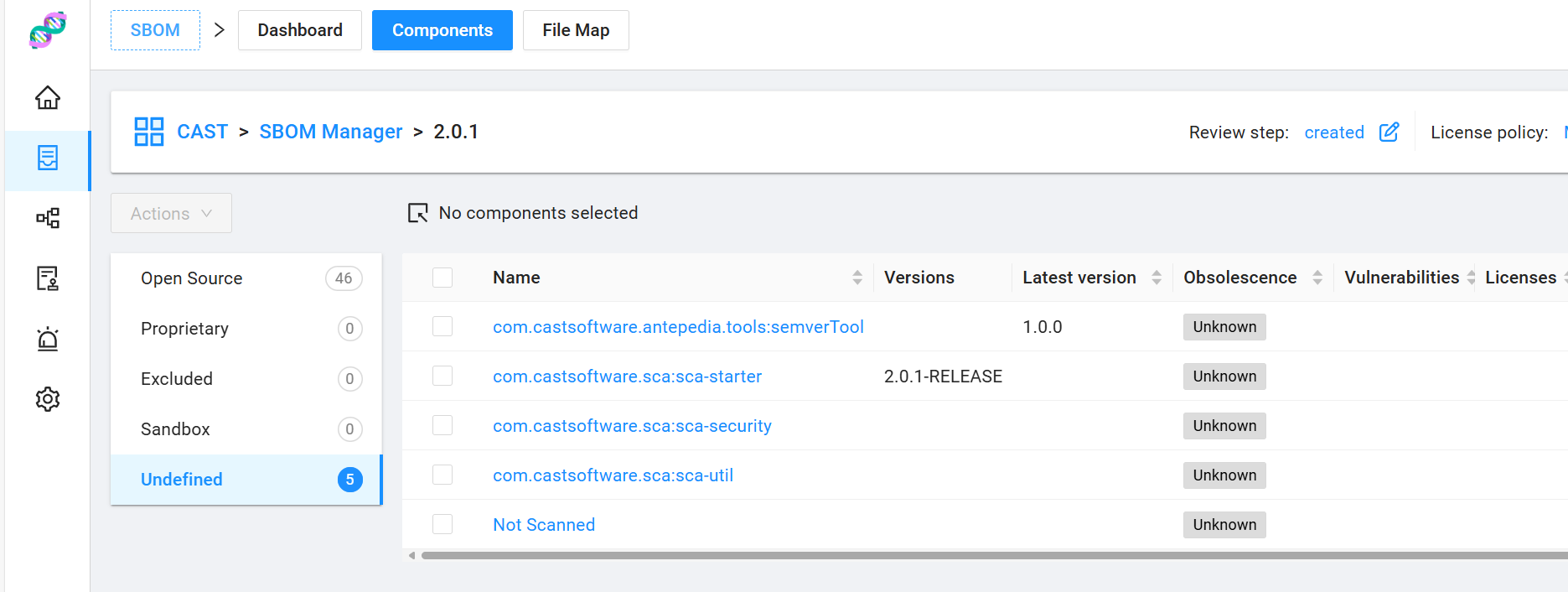
When you import a project using the CAST OSS Knowledgebase, you might notice that some components are marked as undefined. That’s completely normal.
Let’s walk through an example using the SBOM Manager project. Like many software projects, it includes both open-source libraries and internal proprietary components. Since these internal components aren’t part of the OSS Knowledgebase, they show up as undefined.
This is where CAST SBOM Manager’s Catalog feature shines. It lets you enrich these components with metadata — like version, license, and known CVEs — and store them in your own private knowledgebase. Once added to the Catalog, this information becomes reusable across all your SBOM projects.
Add to Catalog
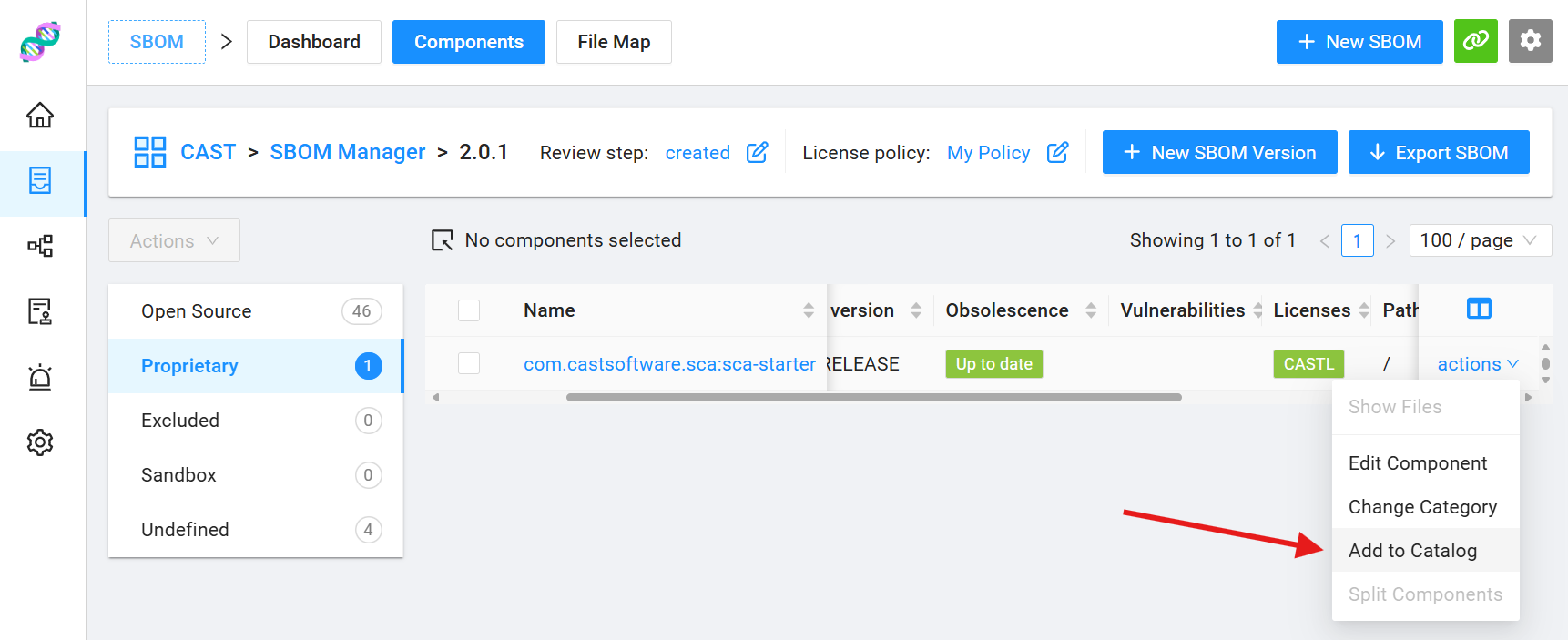 You can edit the metadata of any component directly within the SBOM Manager interface. In the screenshot above, the component
 sca-starter has been updated: it is now classified as proprietary, associated with two licenses, and its version has been correctly set.
These changes will be reflected in the SBOM export immediately. However, to make them persistent and reusable, you can add the component to the Catalog. Simply open the Actions dropdown and select Add to Catalog.
Once added, the component’s metadata becomes part of your organization’s internal knowledgebase. It will be automatically reused in future versions of the same project and in any other SBOM projects where the component is detected.