Step 1: Details
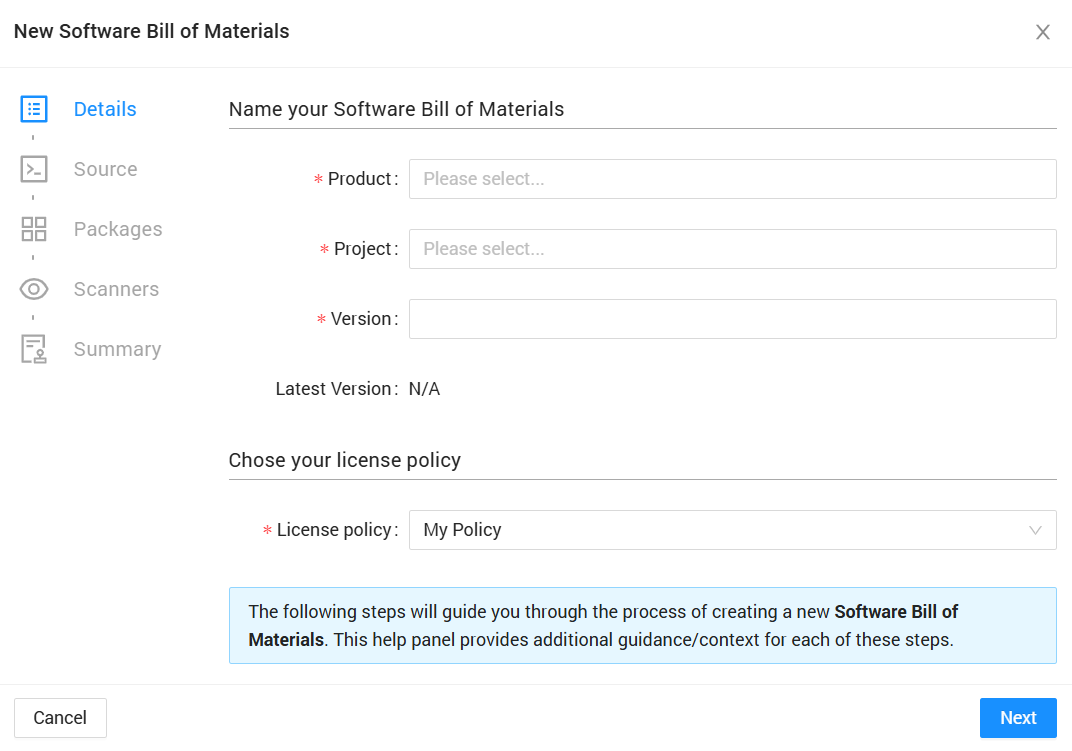
The Details step captures essential project metadata.
Fields
Product Name
- The top-level organizational container
- Groups related projects together
- Can be selected from existing products or create a new one
- Example: "MyApplication", "E-Commerce Platform"
Project Name (Required)
- Identifies the specific project or component
- Must be unique within the product
- Example: "Backend API", "Frontend UI"
Version (Required)
- Identifies this specific SBOM snapshot
- Use semantic versioning or date-based naming
- Example: "v1.0.0", "2024-01-15", "release-candidate-1"
SBOM License
- Specifies the license for the SBOM document itself (not component licenses)
- Default options available from dropdown
- This license applies to the generated SBOM export files
TIP
Use consistent naming conventions across your organization for easier project management and identification.
Once all required fields are completed, click Next to proceed to the Source configuration.